Function hall booking & management software

Run your function hall like a pro — not a notebook and a WhatsApp group.

Ops365 Function Hall Booking Manager gives every hall its own branded public booking website, a live availability calendar, coupons, staff with role-based access, inventory tracking, and an owner accounts dashboard — one platform, from the first enquiry to the balance sheet.

Multi-hall · Role-based staff access · No-login public booking

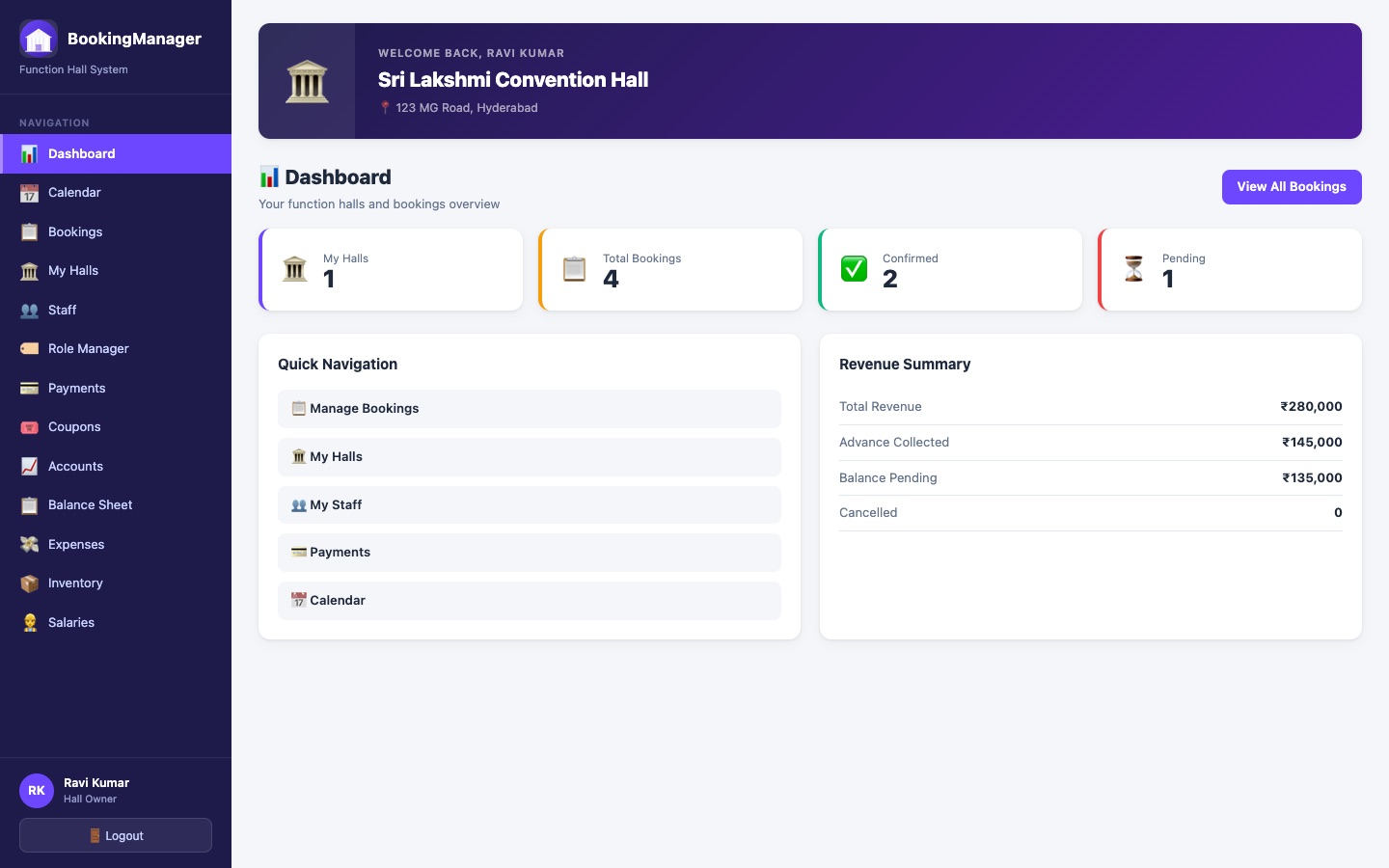
BookingManager owner dashboard showing hall count, total bookings, confirmed and pending status tiles, quick navigation, and a revenue summary with total revenue, advance collected, and balance pending
5Built-in roles
UnlimitedHalls per owner
LiveAvailability calendar
No loginPublic booking flow

Everything running a hall actually needs.

Built around how function halls are really booked, staffed, and managed.

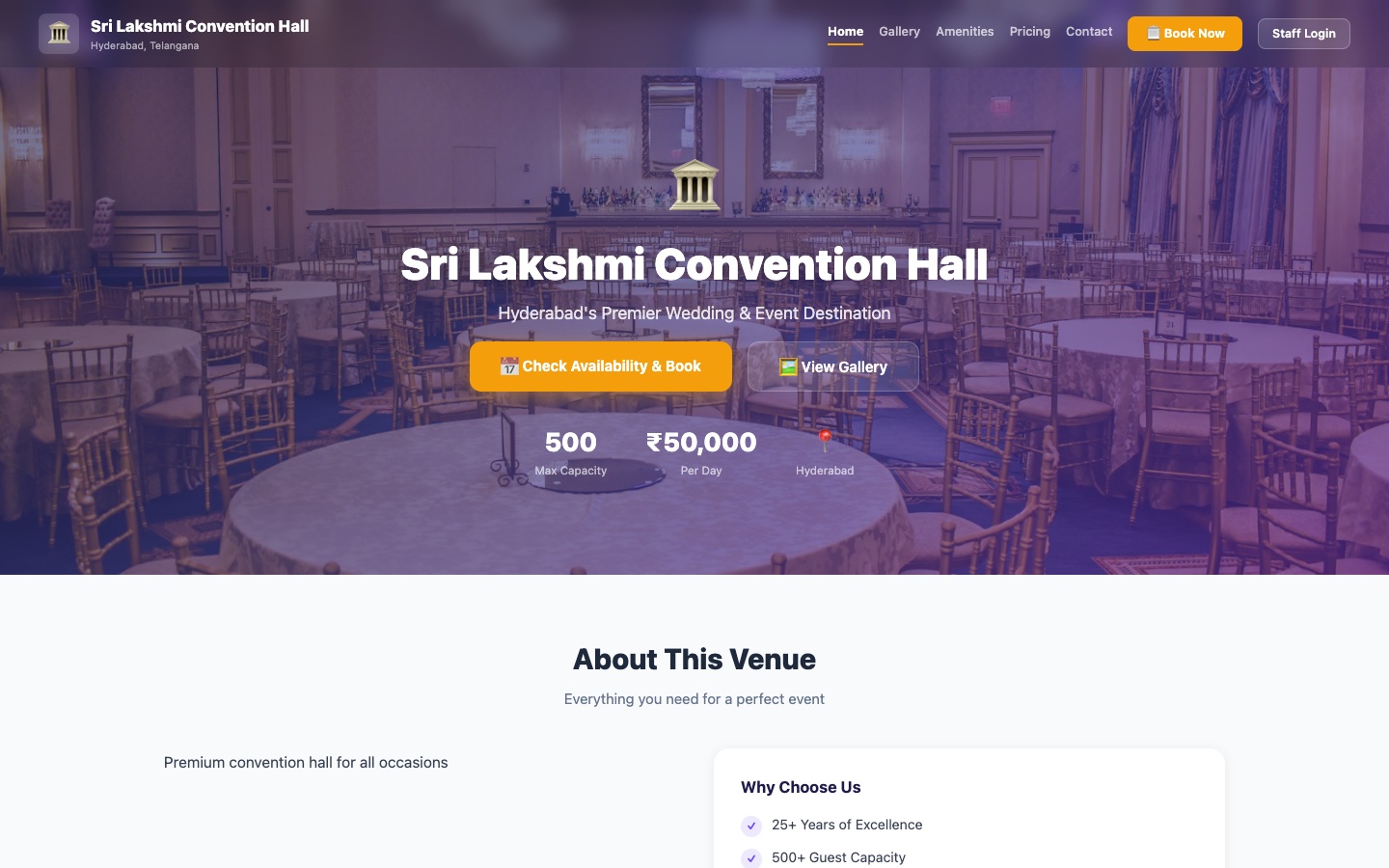
A hall's own branded public website with hero image, tagline, capacity and pricing, a Check Availability & Book button, and an About This Venue section
Branded Public Website

Every hall gets its own public website — no coding, no separate hosting.

Publish a hall and it gets a dedicated public page at its own URL: hero image, tagline, highlights, pricing, photo gallery, and a Book Now flow — all pulled from the same data you manage in the dashboard, always in sync.

  • One click to publish — no separate site to build or host
  • Photo gallery, amenities, tagline, and highlights
  • Guests book directly from the hall's own page
  • Stays in sync automatically with pricing and photo changes
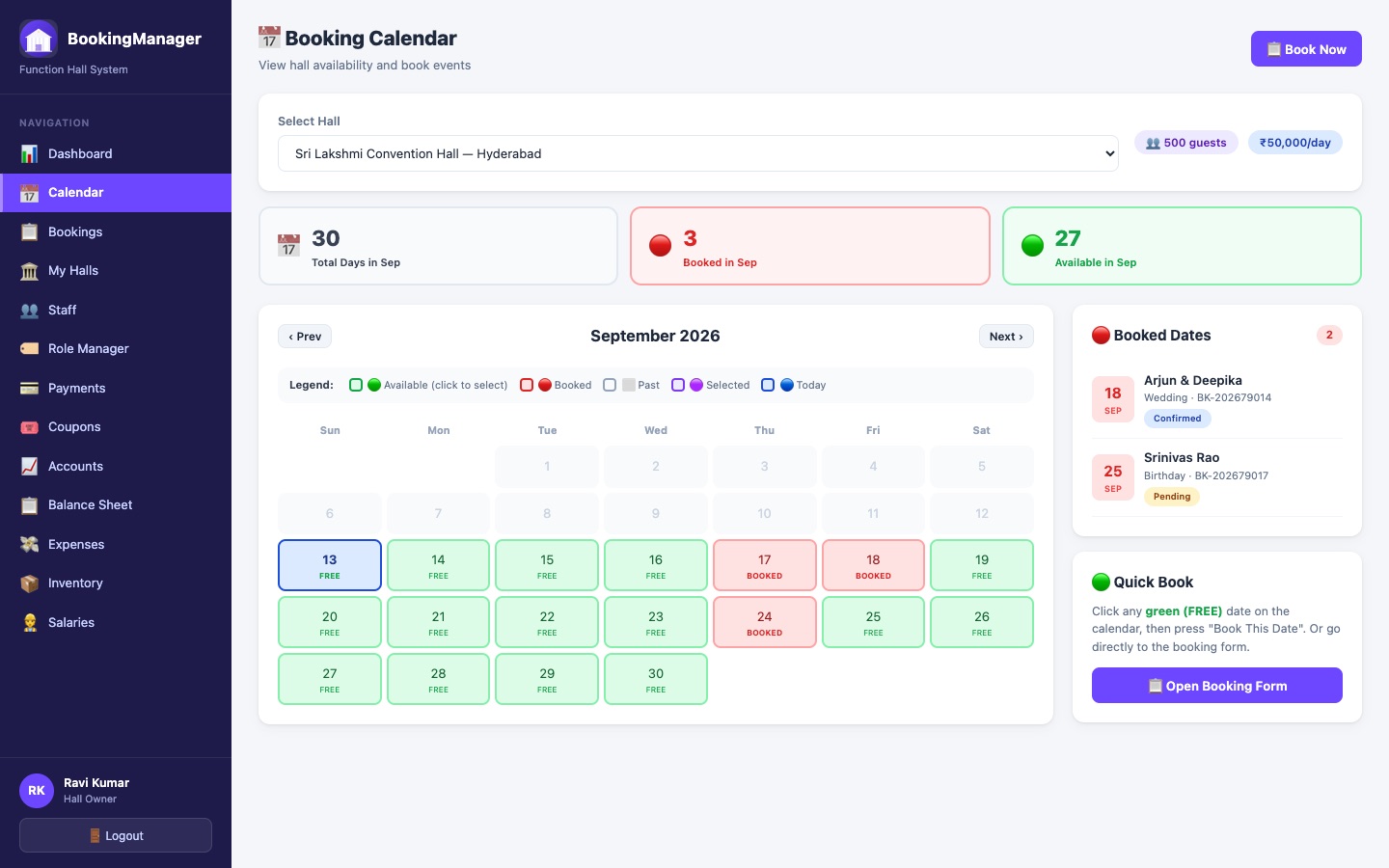
Booking Calendar for a hall showing a monthly grid with free and booked dates color-coded, a booked-dates list with customer name and event type, and a Quick Book panel
Availability Calendar

See every free and booked date at a glance — for staff and guests alike.

A month-by-month calendar shows exactly which dates are free, booked, or past, with each booking's customer and event type one click away. The same availability check protects the public booking flow, so a hall is never double-booked.

  • Color-coded month view — free, booked, past, and today
  • Click any free date to jump straight into a new booking
  • Automatic date-conflict check on every booking, staff or public
  • Booked-dates list with customer, event type, and status
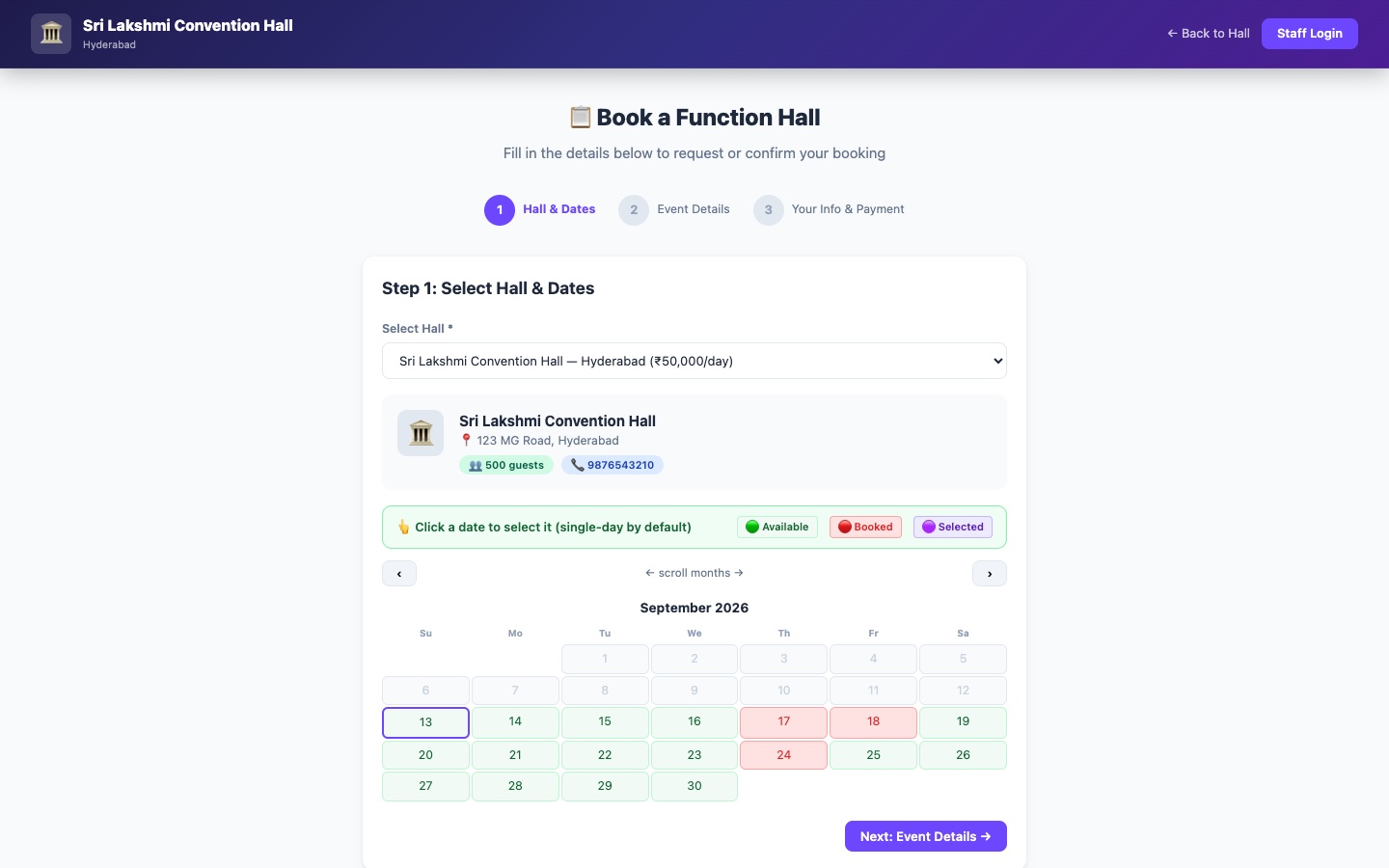
Public booking page titled Book a Function Hall, with an event type dropdown, date pickers, and a form for the guest's information — reachable with no login required
Public Booking, No Login

Guests book in three steps — no account, no back-and-forth calls.

Pick a hall, choose dates and event type, apply a coupon if they have one, and submit — all without creating an account. The booking lands directly in the owner's dashboard as a pending request, ready to confirm.

  • Three-step flow: hall & date, event details, guest info
  • Coupon code applied and validated live during booking
  • Live availability check before a date can be selected
  • Every event type from Wedding to Half Saree to Corporate
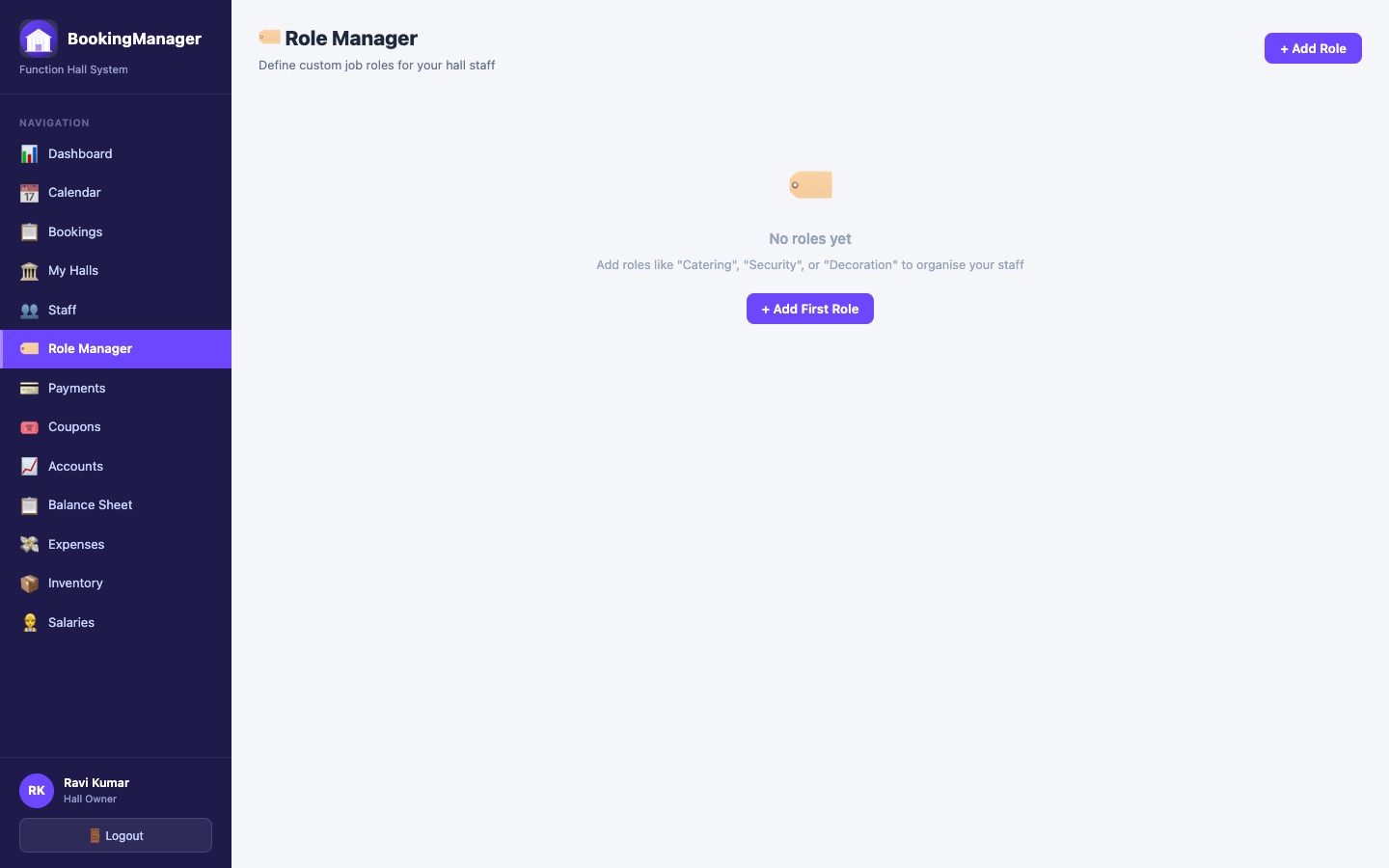
Role Manager page showing custom staff roles like Supervisor, Accountant, and Security, each with its own colour badge and description
Role-Based Staff Access

Define what a role can do — once — and every hire with it inherits that access.

Role Manager lets an owner define exactly what job roles exist for their halls — Supervisor, Accountant, or a custom tag like Decorator or Security. Picking a Role when adding staff sets both their job title and their actual permissions in the app, from full access down to their one assigned hall.

  • Custom roles per hall, with their own colour and description
  • A role literally named Supervisor or Accountant grants that real access level
  • Everything else is a scoped, day-to-day staff account
  • One dropdown when adding staff — no separate permissions screen
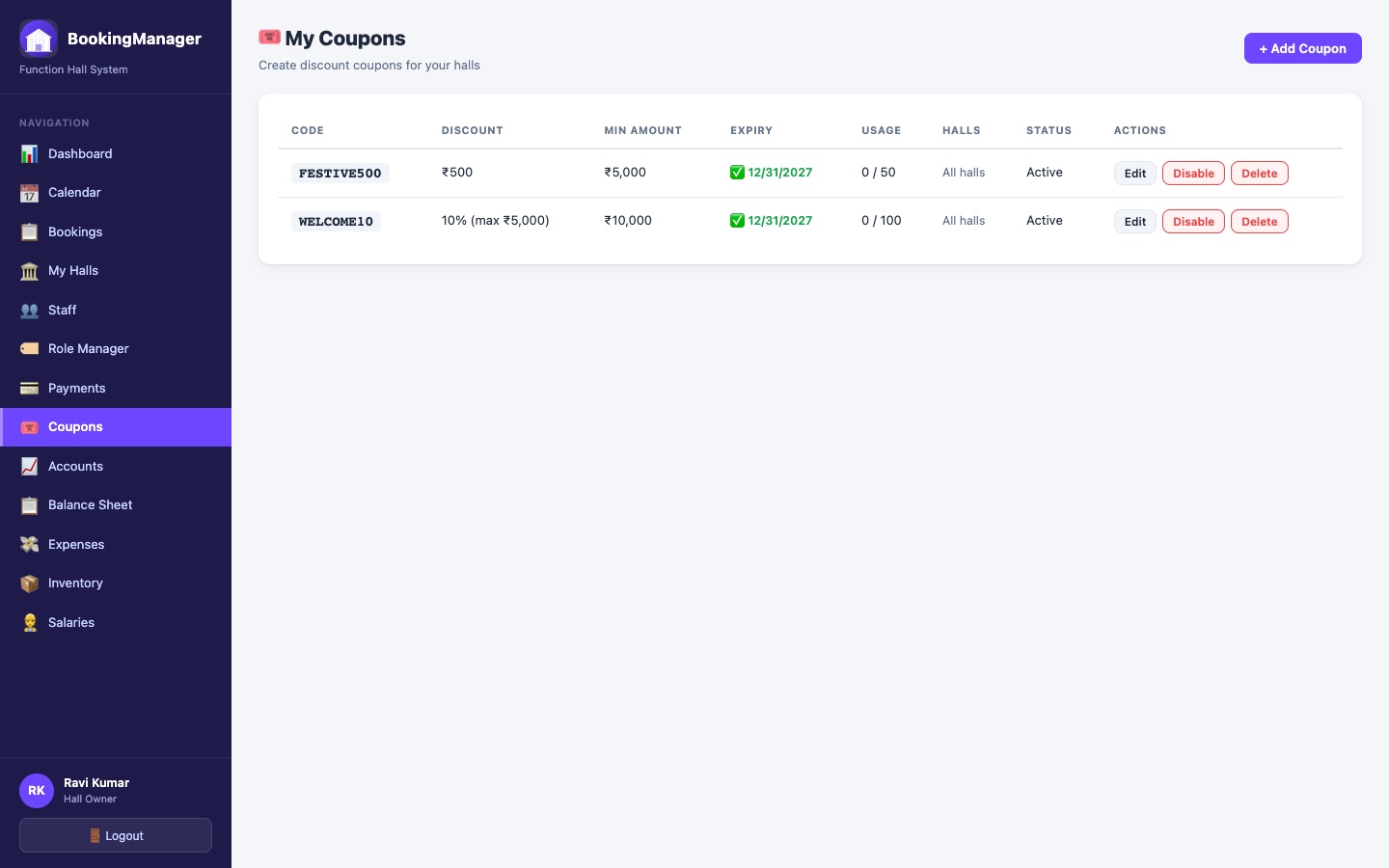
Coupons page listing discount codes with type, value, minimum booking amount, usage count, and active status
Coupons & Discounts

Run a festive offer or a repeat-customer discount without a spreadsheet.

Create percentage or fixed-amount coupons scoped to specific halls, with a minimum booking amount, a maximum discount cap, and a usage limit. Guests apply one during public booking; staff can apply one to a pending booking before it's confirmed.

  • Percentage or fixed-value discounts, per hall or account-wide
  • Minimum booking amount, max discount cap, and usage limit
  • Guests apply it themselves during public booking
  • Staff can add one to an existing pending booking too
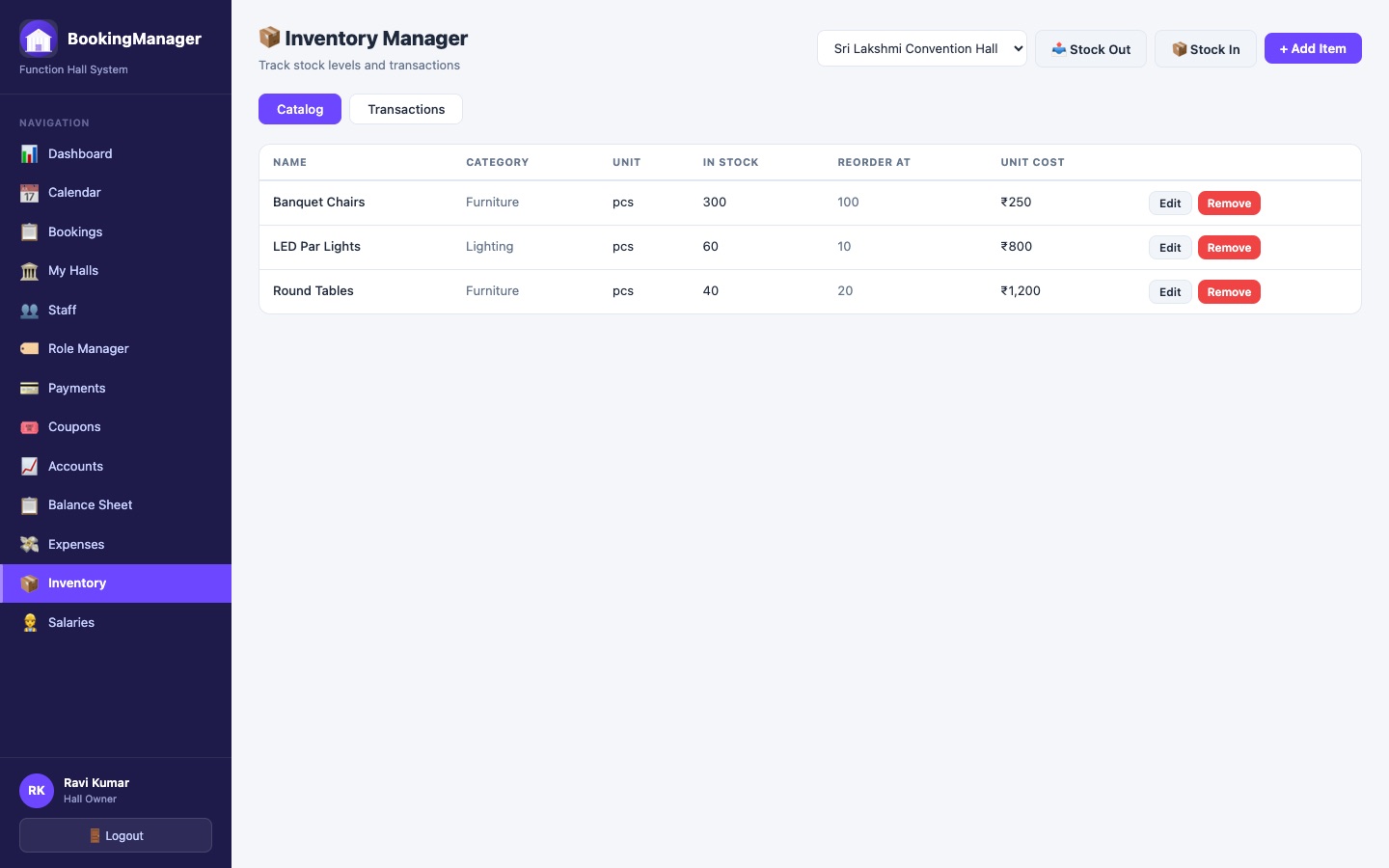
Inventory Manager showing a stock catalog with item name, category, unit, current stock, reorder level, and unit cost, with Stock In and Stock Out actions
Inventory Tracking

Know what's actually in stock — chairs, lighting, décor, all of it.

A per-hall stock catalog tracks quantity on hand and a reorder level per item, with a full stock in/out transaction ledger recording who moved what and when. Shared across the owner and whichever staff roles are given access — one inventory per hall, not one spreadsheet per person.

  • Per-hall catalog with category, unit, and reorder level
  • Stock In / Stock Out with a full transaction history
  • Shared visibility — owner, supervisor, and accountant see the same numbers
  • Unit cost tracked per item for accurate valuation
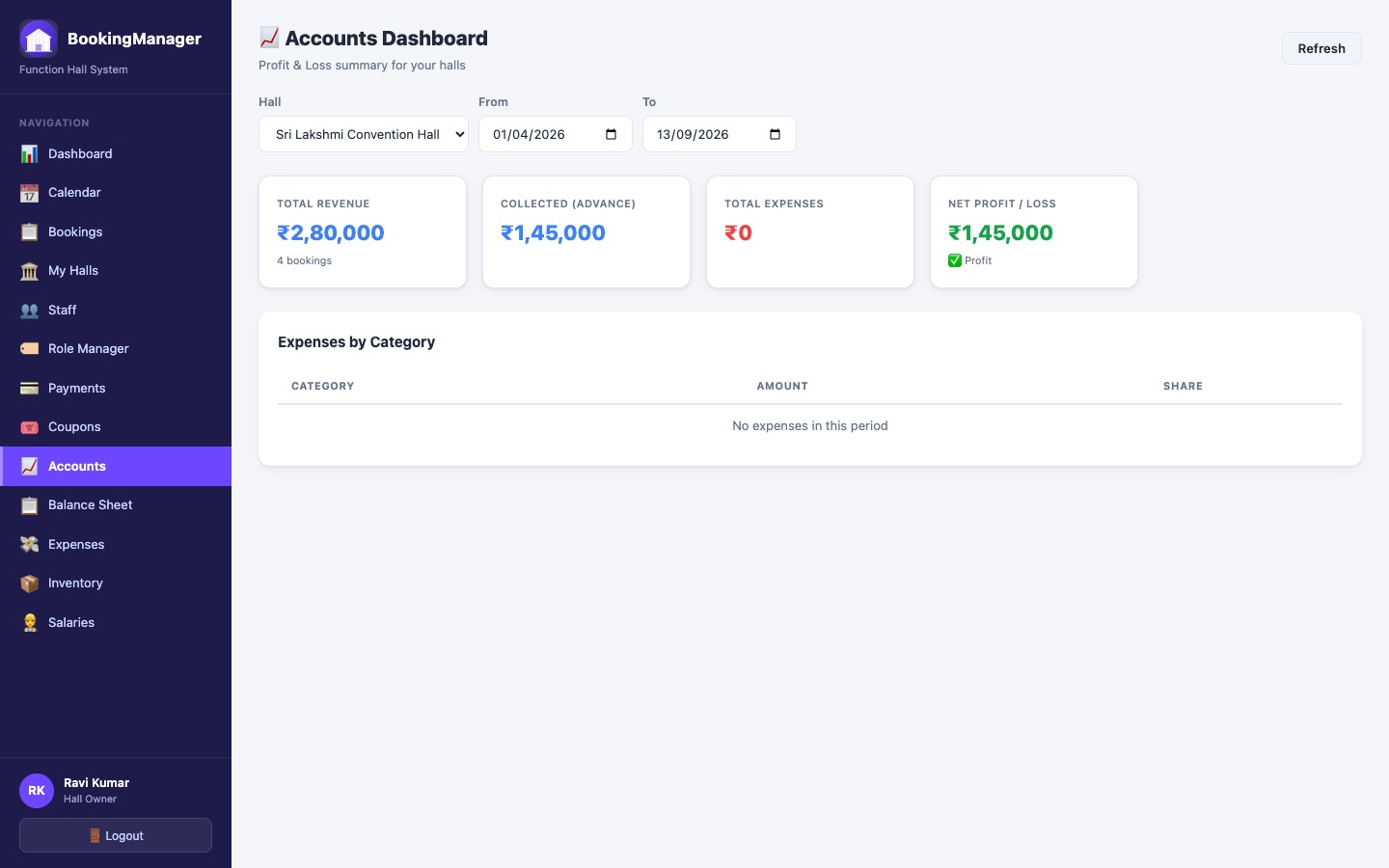
Accounts dashboard showing revenue, advance collected, and balance pending figures for the hall business
Accounts & Balance Sheet

Revenue, advances, and what's still owed — without opening a ledger book.

The Accounts dashboard and Yearly Balance Sheet track total revenue, advances collected, and outstanding balances per hall, factoring in every coupon discount automatically. A dedicated Accountant role gives staff exactly this view without touching bookings or staff management.

  • Revenue, advance collected, and balance pending, always current
  • Discounts factored into every balance figure automatically
  • Yearly Balance Sheet for a full-year financial view
  • A dedicated Accountant role scoped to just this view

One dashboard. Five roles. Everyone sees only what's theirs.

A strict hierarchy — Superuser over Owner over Supervisor over Employee/Accountant — so access always matches responsibility.

Superuser

Platform-wide — manages every owner, hall, and booking, plus the login page's own branding.

Owner

Their own halls — bookings, staff, coupons, inventory, expenses, and salaries, end to end.

Supervisor

Their assigned hall — bookings, calendar, inventory, and the employees working there.

Employee

Their assigned hall — tasks and schedule, scoped to exactly what they need to do their job.

Accountant

Full financial visibility — accounts, expenses, salaries, and balance sheet, plus bookings, calendar, and inventory.

See it before you sign up.

Real screens from the actual product — nothing staged.

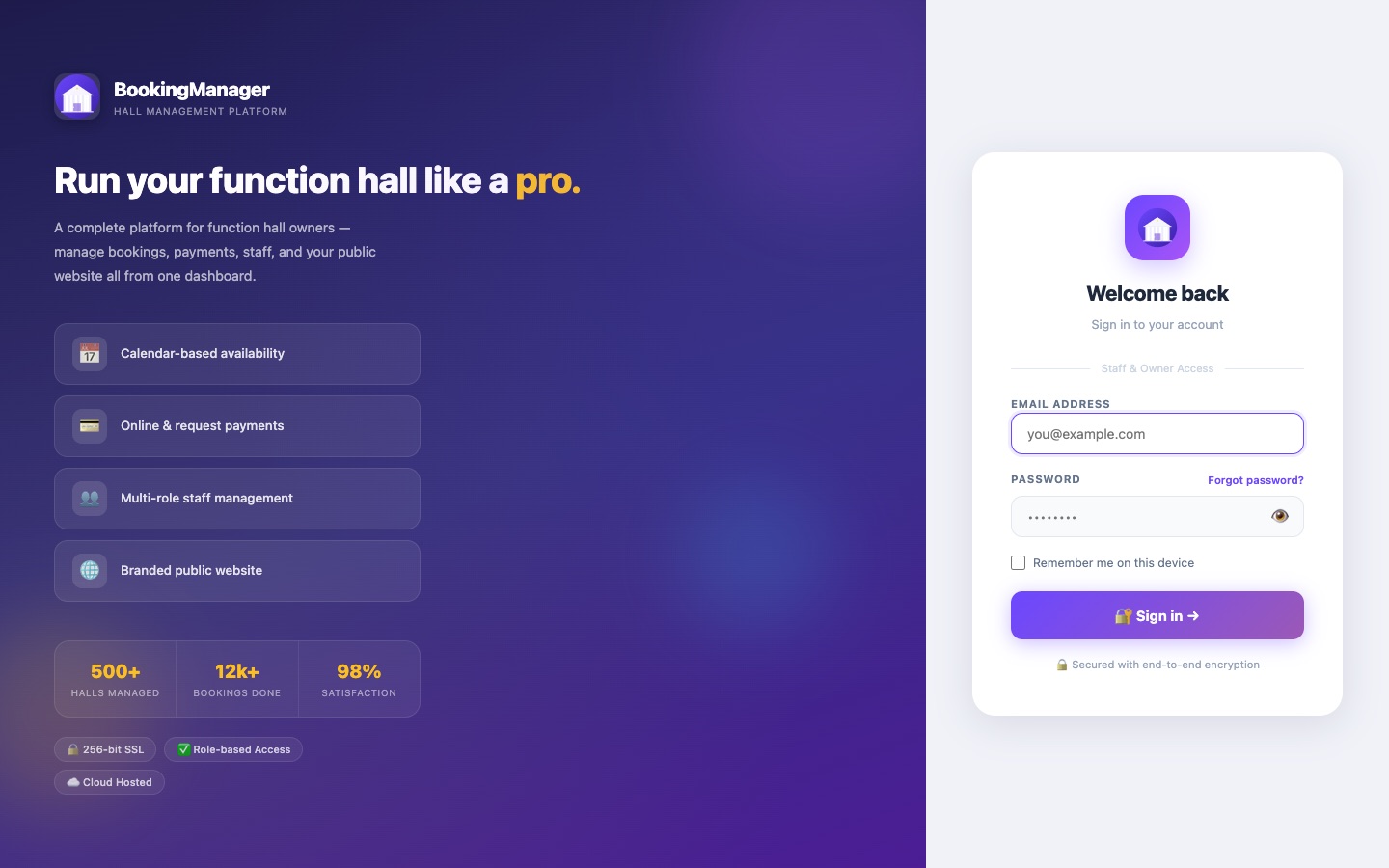
Branded login page with sign-in form and platform highlights
Branded LoginCustomisable per platform
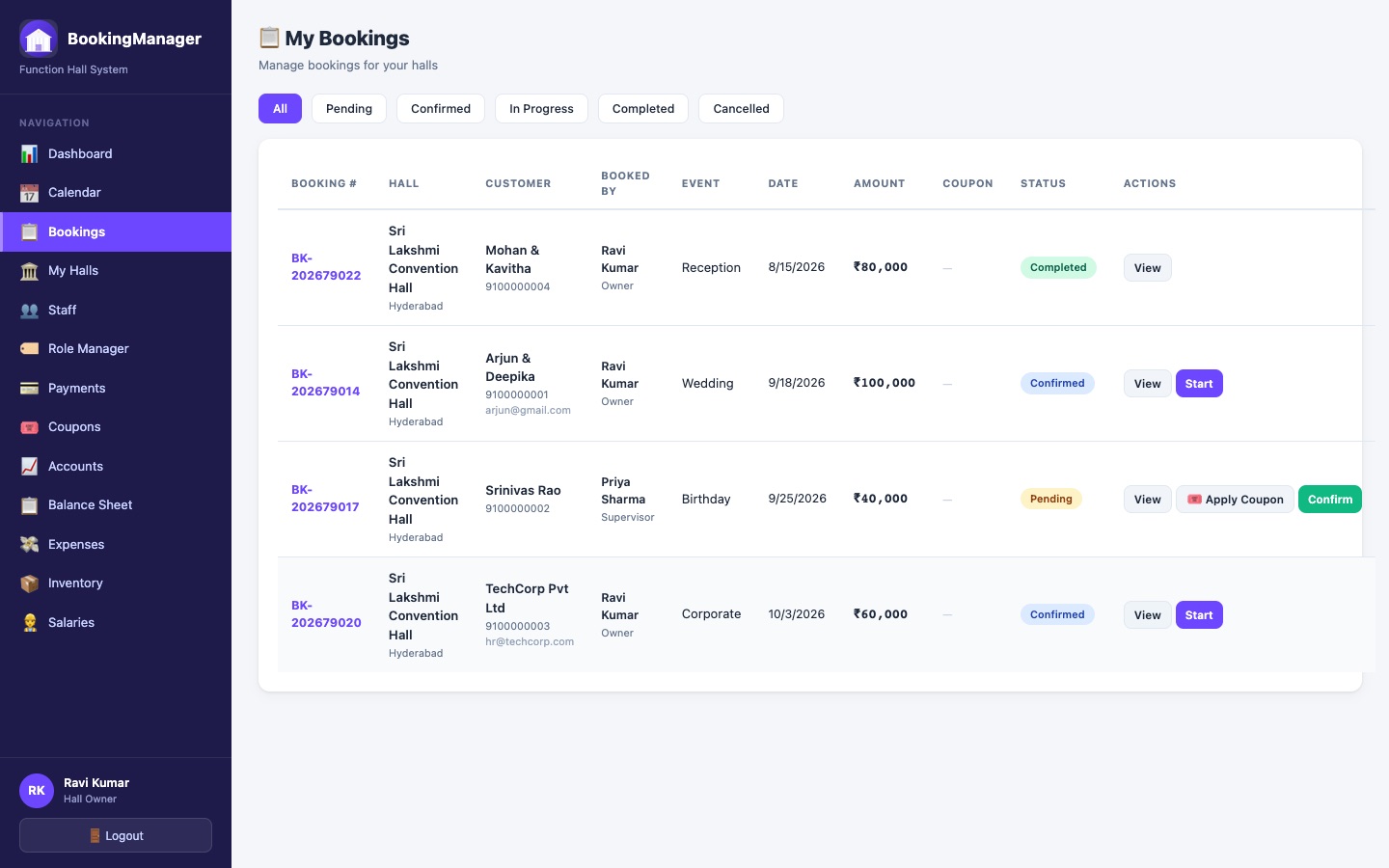
My Bookings table with status filters, coupon column, and per-row actions
BookingsFilter, confirm, apply coupons
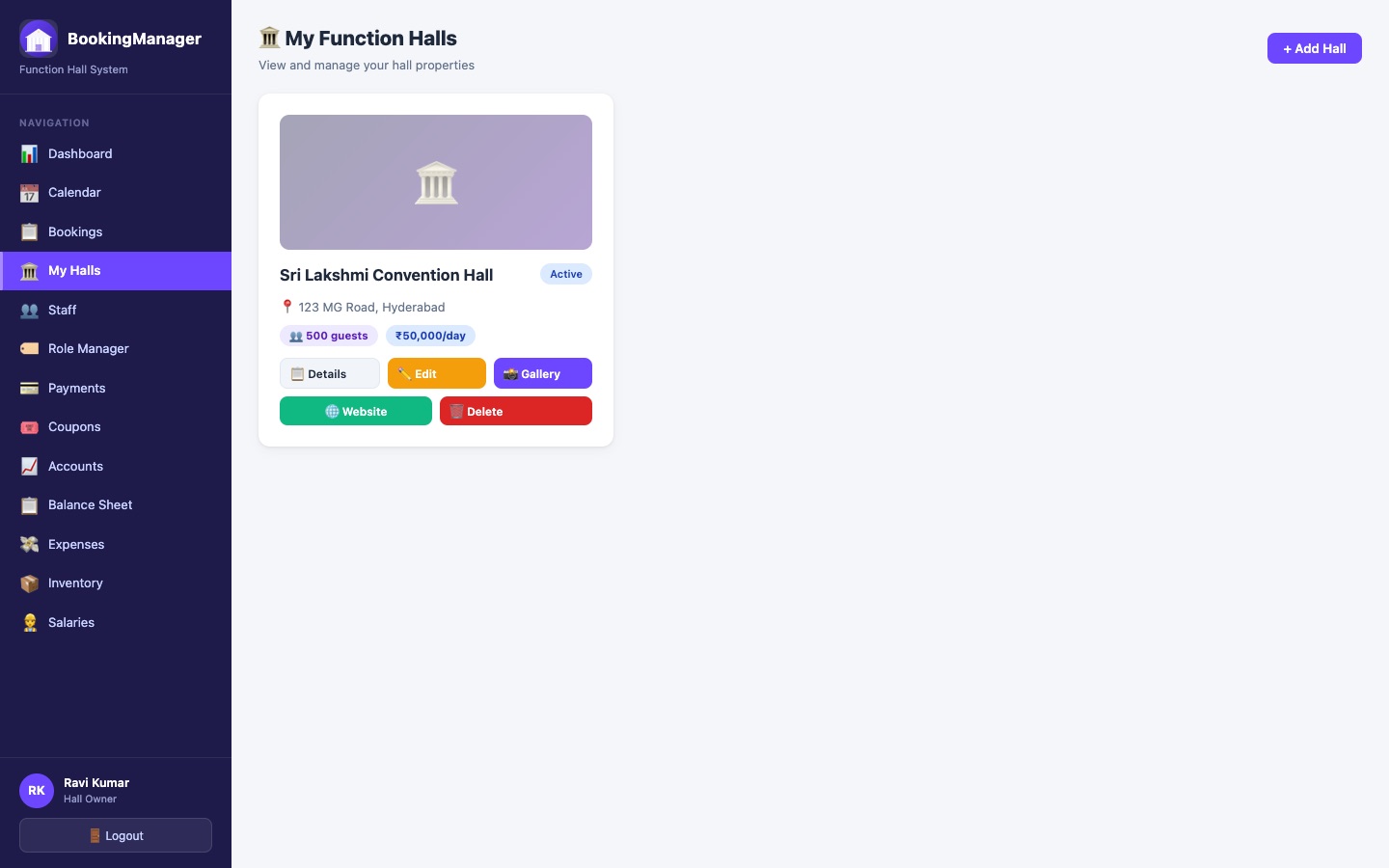
My Function Halls grid with photo thumbnails, capacity, and pricing
My HallsAdd, edit, delete, publish
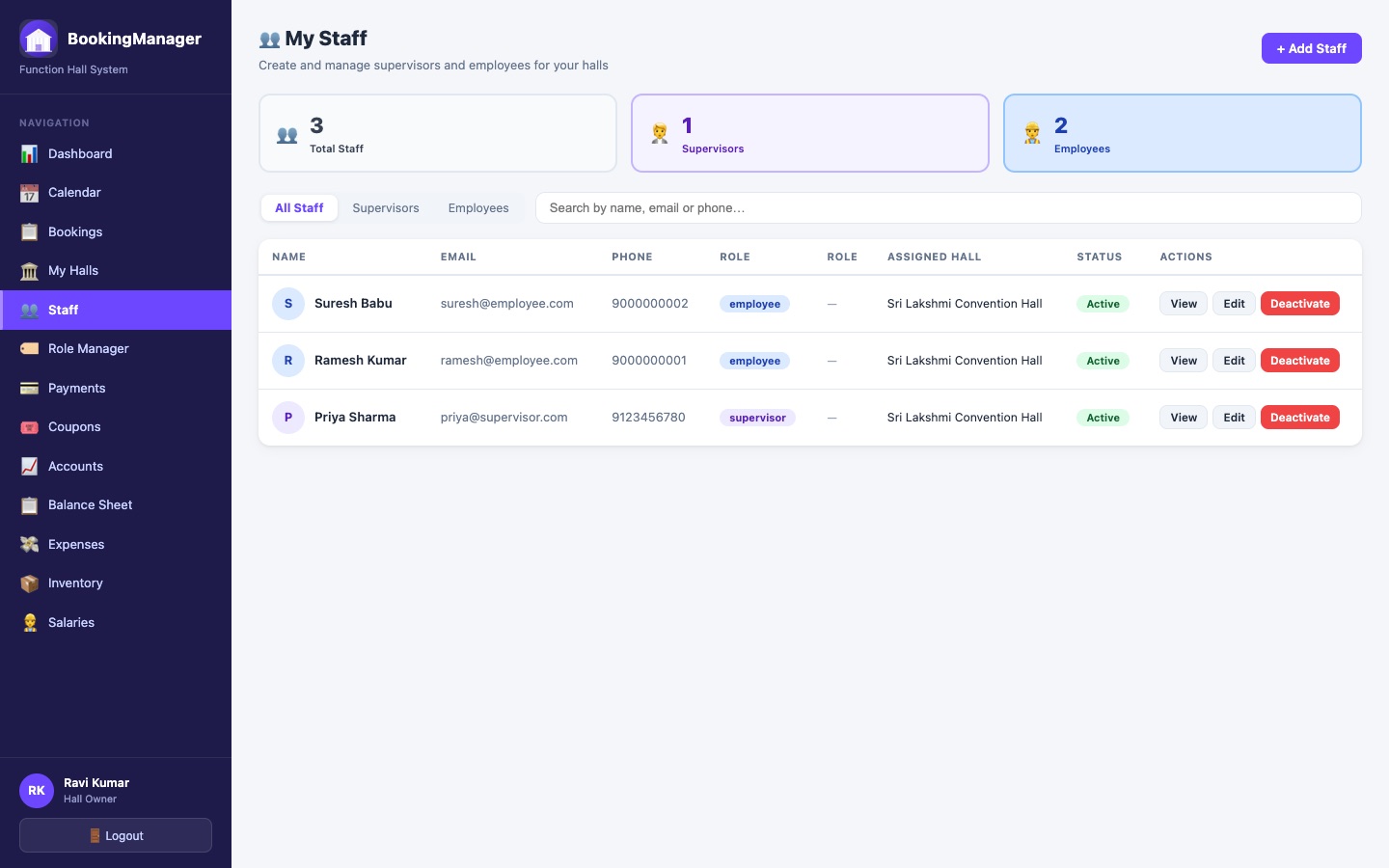
Staff table with role, category, assigned hall, and status
StaffAdd staff with a Role, done
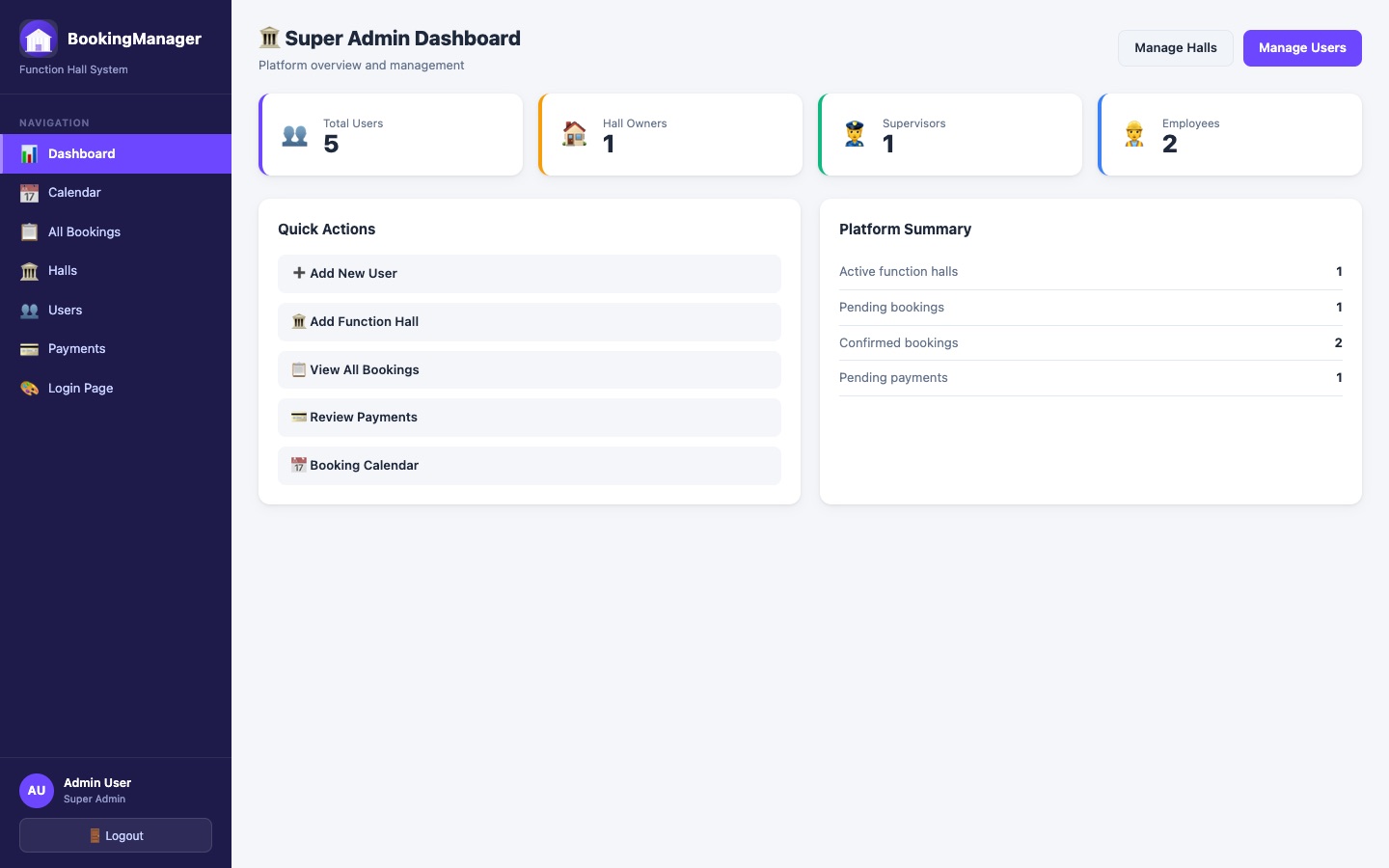
Superuser dashboard with platform-wide stats across all owners and halls
Superuser ViewPlatform-wide oversight
Owner dashboard with hall count, bookings, and revenue summary
Owner DashboardEverything, one glance

Frequently asked questions

Can I run more than one function hall from one account?

Yes. An owner account can hold multiple halls, each with its own pricing, photos, staff, and public booking website — managed from the same dashboard.

Does every hall get its own website?

Yes. Publishing a hall gives it its own branded public page at a unique URL — photo gallery, pricing, amenities, and a Book Now flow — with no coding or separate hosting needed.

Can customers book without creating an account?

Yes. The public booking flow needs no login — a guest picks dates, sees live availability, applies a coupon if they have one, and submits their booking request directly from the hall's website.

How does role-based access work for staff?

An owner defines Roles in Role Manager (e.g. Supervisor, Accountant, or a custom job tag like Decorator) and assigns one when adding a staff member — that Role determines exactly what they can see and do in the app, from full booking and inventory access down to a supervisor's own assigned hall only.

Can I track hall inventory like chairs, lighting, and furniture?

Yes. Inventory Manager keeps a per-hall stock catalog with reorder levels and a full stock in/out transaction ledger, shared across the owner and whichever staff roles are given access.

Can I offer discount coupons on bookings?

Yes. Create percentage or fixed-value coupons scoped to specific halls, with a minimum booking amount and usage limit — guests can apply one during public booking, and staff can apply one to an existing booking before it's confirmed.

Is there a financial overview for the business?

Yes. The Accounts dashboard and Yearly Balance Sheet track revenue, advances collected, outstanding balances, and expenses per hall, with a dedicated Accountant role for staff who should see the numbers without touching bookings.

Is BookingManager connected to Ops365?

BookingManager is an Ops365 product, built and operated by the same team, running as its own independent application.

Ready to run your hall like a platform, not a notebook?

Tell us about your halls — we'll set up your account and walk you through it.

Request a Demo